Archive - Technology RSS Feed

What I’m Doing Tonight

Here’s a video to give you a hint.

After waiting a long time for a decent smartphone to be offered in our area, I picked up a HTC Desire Android phone today from US Cellular. It’s essentially the same as the Google Nexus One, except is is a CDMA phone offered by regional carriers. I’ve been playing with it all evening, installing apps and learning how it works. Overall, I’m happy with it.  It came with Android 2.1 on it, but I’m already looking forward to the 2.2 update so I can install apps to the SD card.  It’s fast, it’s sleek, and the screen is incredible. I’m excited to see how I can integrate it into my workflow for church. Already, I’m looking forward to not having to carry my iPod and my phone everywhere I go.

Here’s a list of the apps I’ve installed so far.

  • Bible app from Lifechurch
  • Evernote
  • Dropbox
  • Pandora
  • 1Password
  • Google Voice
  • Advanced Task Killer
  • Barcode Scanner
  • Amazon MP3
  • Dolphin Browser HD
  • Google Goggles
  • Amazon Kindle
  • Mint
  • Photoshop Express
  • RunKeeper
  • Remember the Milk
  • ScoreCenter
  • Seesmic
  • Shazam
  • WordPress

What did I miss? Looking forward to trying it out over the next few weeks.

Cool App to Memorize Scripture

Loading Images
Loading++Welcome++Settings++Memorize++Stats++

I downloaded and installed a new app today for Bible memorization. Check out the screenshots embedded above for an idea of how it works. It’s called the Verseminder Topical Memory System by NavPress. It costs $3.99, but is well worth it if you want to get serious about memorizing Scripture. The only drawback I see is that it only contains 60 verses.

What tools do you use to help memorize Scripture?

Gadgets and Ministry

Hi, my name is Mike, and I am addicted to electronic gadgets. If you ask anybody that knows me well, they would be sure to verify this fact. I like to stay on the cutting edge of technology, but over the past few years I have really slowed down. The reason why: money.

It takes a great deal of money to have the latest and greatest computers, gadgets, and software. And ministry is not exactly the profession to go into if you want to have money. So now, I’m the guy that constantly wants new stuff, only to have to learn the meaning of contentment.

But I have found something unexpected in the process. My 3 year old church laptop is still running great, and my $300 home computer running Windows XP still works fine. Even though my cell phone came out over 3 years ago, it still makes phone calls. In other words, I really have all I need and more. We live in a society that tries to convince us that we need more. If we buy into the myth that we always need the latest and greatest gadget, then have we made technology our God?

Materialism is an ugly thing, and we can become experts in rationalizing our purchases, but I want to challenge you to really ask yourself if you need the latest and greatest version of every new gadget. The question should not be, “Can I buy this?” The better question is “Should I buy this?”

So while I’m lusting after iPads,  new MacBook Pros, and new Android phones, I’m learning the true meaning of 1 Timothy 6:17-19. We’re just started a new series at Cornerstone called “In God We Trust: Faith, Hope, & Money” and I will be sharing about honoring God in every area of our lives, including our technological purchases :-)

Photo Credit: Rutty

FamilyShield Web Protection

I have shared about OpenDNS before, but I wanted to let you know about a new free service they are now offering. FamilyShield is a web filter that blocks out inappropriate sites on your home or business computers. I have used OpenDNS to protect my home network and our church network for the past two years and it has worked great.

FamilyShield is a stripped down version of OpenDNS basic that requires very little setup and no configuration.  It works by simply changing a few settings in your wireless router. They keep a constantly updated list of inappropriate sites and there is no software to install on your computer.  Since it works through your router, it also protects all computers on your network including any iPods, gaming systems, or other home devices. Check out their site for more information. I highly recommend it.

Using Google Voice

Over the past year, I have been using Google Voice to handle all my voicemail on my mobile phone. Google announced today that Google Voice is now available to everyone in the US. Before today, you had to receive an invitation in order to use it, so here’s your chance to try out something that is cutting edge.

Most pastors spend a large amount of time on their phones, so this service really works great for them. You can route incoming calls to your office phone, your home phone,  your cell, or even straight to voicemail. Google transcribes every voicemail into text so you can read your voicemails over text messages or emails.  Although the transciption is sometimes a little crazy, most of the the time you can decipher what the call is about without listening through the voicemail. They don’t have many local google numbers for my area, but they are adding more all the time.

This video explains a little more about the service.

Why The Church Can’t Ignore Social Media

This video is why the church must be serious about utilizing technology if they wish the reach the next generation. The world is rapidly changing and just as the printing press revolutionized the way the church shared the Gospel, the internet must shape our methods today.

Adding Sermons To Your Church Website

Over the past few years, I have looked into several different options for integrating audio and video sermons into church websites. Many churches are using websites that don’t have this functionality built in, and they need a quick and easy way to get audio and video uploaded each week. I wanted to share a little about the different options out there, and share what our church has chosen to use.  Here are a few options to checkout.

  • Sermon.net – This seems to be the biggest service out there, but it can be a little confusing to get started. Their website is tough to navigate, and their basic player is very dated. They offer the ability to share both audio and video, and I would definitely go with the premium account if you choose them.  The pricing info can be found here.
  • Sermoncloud – This is another good service focused on audio podcasting.  The service is easy to use, but they have just started charging if you want to archive more than 1 year of audio sermons. Our church has used this for several years, but we decided to find something new because of the cost. We also wanted to start sharing video as well. Sermoncloud is also tougher to integrate into an existing church website since they don’t offer a custom player.
  • SermonDrop – Another service for audio podcasts. The player is adequate, but the service becomes a little pricey for only hosting audio files.
  • BuzzSprout – Although not designed for sermons, this is a slick podcasting service for audio that would work well. The player is very sleek and contemporary, and I could see this working with most church websites. The pricing is reasonable as well.
  • MediaRush - This is one of my favorites. It is a player for audio and video sermons. You can categorize your sermons and integrate this player easily into most websites.  It is by far one of the best looking solutions, but it has two big drawbacks.  One is the cost.  At $30 per month, it can be expensive for smaller churches.  The other is that you have to host your audio and video files somewhere else. For less experienced computer users, this adds another step to the process.

So that brings me to the solution we are currently using, MediaFusion.

MediaFusion

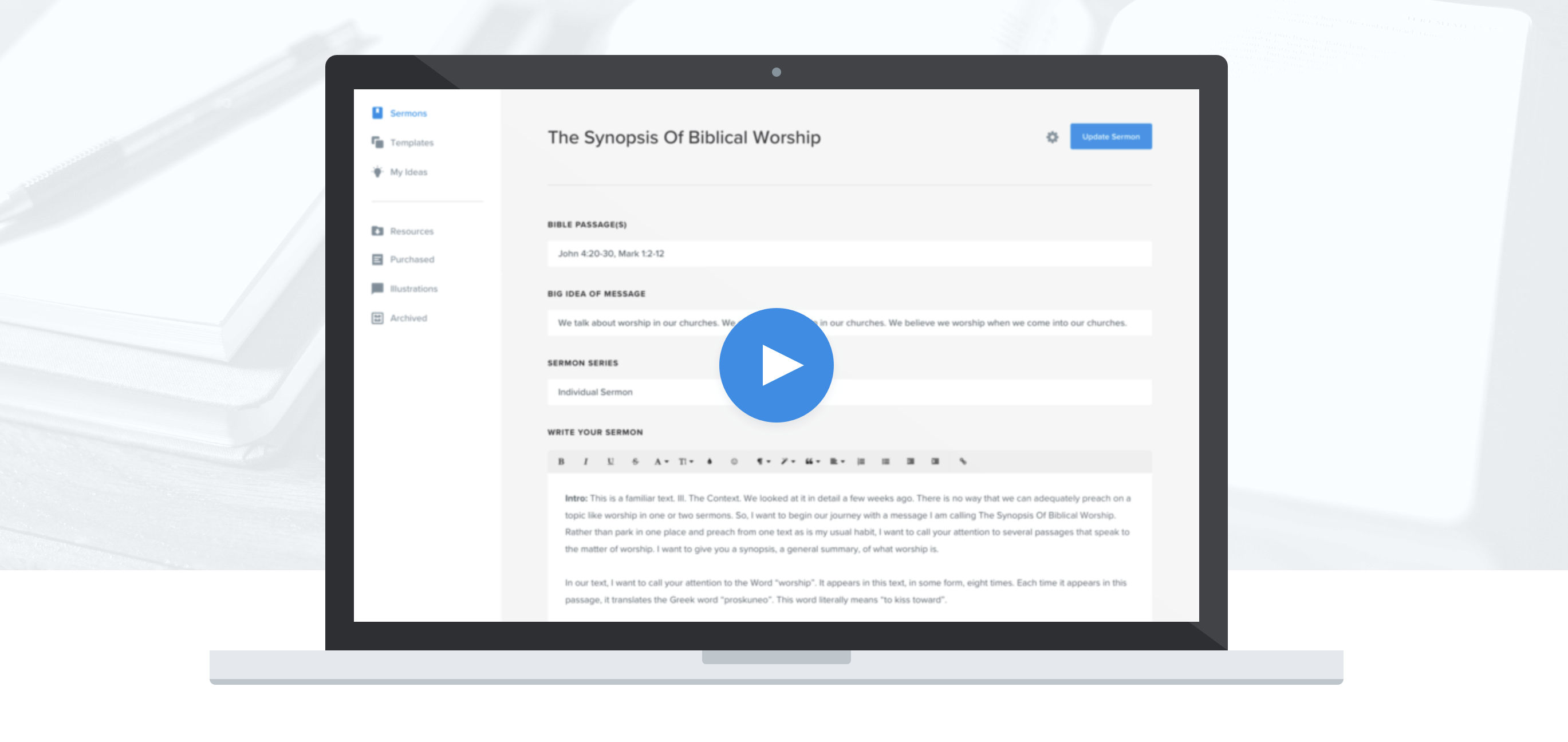
MediaFusion is a new service that does several things right. For only $10 per month (or $99 per year) they offer a sleek player for both audio and video.  They host all your audio files and you can even include sermon notes or powerpoint files.  For video, they have chosen to integrate video from other sources. By not reinventing the wheel, they can keep their cost low by working with other video services. We are using Vimeo Plus which costs $60 per year for the ability to store and stream large video files. The sermons can be organized by series, and you can also link directly to the RSS feed and iTunes podcast.  If you want to see it in action, click the above photo to see what we have uploaded so far for Cornerstone. We plan on going back and adding older series as we get time.  So far, I’m impressed. It seems like a good service for smaller churches who want great results. They are still adding features and updating the service, so I’m hoping to see more statistics available, and there are a few quirks to the RSS feed, but I’m confident those things will be addressed soon.

I really like the current trend of offering web services that integrate and play nicely with existing websites. I hope we see more vendors taking this approach.

Updates to Google Docs

If you have never tried using Google Docs, now is the time to jump in and try it out. Essentially it is an online version of Office. You can create and edit documents, spreadsheets, drawings, and presentations online. The files are stored on Google’s servers so you can access them from any computer with internet access.  It also allows you to share files with others, even accessing the documents at the same time.

Yesterday, Google announced several great new features for Google Docs.  Real-time collaboration, new spreadsheet enhancements, a new drawing tool, and more control over document formatting were all added features. They also allow you to upload any files to their server for online storage.

You can combine this with Google apps for your domain and have the ability to provide email and calendar scheduling, all for free for churches and non-profits. If you are a church, this is a great service to use for sharing important information. For more reasons why you should consider using Google apps, check out this post over at ChurchCrunch.

I am a big Google fan and this just reinforces the fact that you don’t have to charge high prices to offer a great service. Between Google Docs and the free OpenOffice suite, I really don’t see myself spending any money for Microsoft Office in the future. Check out the video below for more info on Google Docs.

A Great Source of Video Backgrounds

Over the years I have collected quite a few video backgrounds for worship. From our co-pastor Sam’s past involvement with Digital Juice and from years of downloading videos and bundles, I have a hard drive full of content. But if you are just starting out, it can get expensive.  One of my passions is using video technology to create environments to help present the timeless truths of scripture.  It is hard finding the right background to complement songs and not create distractions in worship.  If we’re really honest, much of the content out there is not that great.

That’s why I got excited when I read about the playback drive on several different websites (visualworshiper and churchcreate and WorshipVJ)   For $249, you get an external hard drive filled with quality backgrounds.  I get a lot of questions about video backgrounds we use when we do public events, so I think this makes it simple for smaller churches with smaller technology budgets to get started. It puts new meaning into plug and play.  Here’s a video with more details.

Playback Drive Promo from Orange Thread Media on Vimeo.

Using Fonts in Graphic Design

If you do any graphic design, let me give you a huge tip. Do not use Comic Sans! If you want your publication to look professional, please take time to pick fonts that actually look professional. I prefer clean sleek fonts for most projects. Distressed or grunge fonts are also popular for a more contemporary look. Here are a few things to keep in mind when choosing fonts.

  • Don’t mix too many fonts! Make sure the fonts you use work together. You can mix size, color, and weight of the font, but try not to have more than 2 or 3 different font syles on a page. Less is more.
  • Readability is key! If people can’t read it, it doesn’t matter how cool the font is.
  • Match the font to the mood you want to convey.  Whimsical fonts work great on a kid’s invitation, but not in most church print pieces.
  • Go beyond built in fonts. Here are two great sites to find free fonts.

Font Squirrel has fonts that you can embed in websites or use for commercial print pieces for free. They seem to have a great selection of fonts to choose from. You can browse my most popular or newly added. They also have font sets to use in website design.

dafont.com is another excellent website with a huge collection of fonts. They have more than 10,000 fonts to choose from. You can search by style or name. It’s always interesting to check out the most popular fonts. If you ever have a need to mimic the font used on a tv show or commercial company, this is a great place to start. I have used this extensively in the past, especially for youth designs and for newspaper ads.

Both sites have instructions on how to add the fonts into your system.

Updating the Blog

It’s been quiet here on the blog for the last few days. During my normal blogging hours I have been working on the site design. I’ve been using the same graphics for a while now and since I can’t leave anything alone for long, I decided to update the theme the blog is based on. I wanted to switch to one that is sleek, clean, and easy to customize. The Standard Theme is a newer WordPress theme that I chose for the updated look. It is a great premium blog theme and I plan on using this as a framework for the blog for the foreseeable future.  I still have some customization to do, but I think this is a great start. Here are some of the features of the new theme.

  • it’s coded to be fast and meet current web standards
  • it’s SEO Friendly (Search Engine Optimization)
  • it has multiple advertising options built in
  • it is easy to customize and style using custom CSS
  • and it has a great community forum where you can find support

So far, I’m impressed. I was able to eliminate several plugins because of built-in functionality, and it just looks sleek and modern. Let me know if you have any problems viewing the site. Especially if you are on older browsers in windows. Leave me a comment and let me know what you think.

Updating Windows Can Be Dangerous To Your Health

This past weekend, we hosted a youth conference at our church. Right before the conference started, we clicked on a message to update to the latest version of Adobe Flash Player on our main computer.  Did I mention this was right before the conference started :-)  Since it was a windows computer, you can guess what happened. Constant crashing and serious stress. For the first fifteen minutes of the conference, Tyler and I were frantically doing a system restore to get the computer back up and running. Luckily our worship band was able to keep playing and we got everything running smoothly by the time the teaching started. Since one purpose of this blog is to share lessons learned, so I want to share some new policies that we will be implementing for our windows computers.

Scheduled Updates:

From now on, automatic updates are officially turned off on our main computers. All software updates will be performed on Mondays or Tuesdays so that we have time to troubleshoot and keep things running smoothly for Sunday mornings. Even updates that seem unrelated to the programs you use may render the computer unusable. Just last week, a family member had a windows update cause their Windows XP computer to Blue Screen during reboot. For your health and sanity, don’t do an update right before a service, wait until you have plenty of time to fix things when they go wrong. And it will happen eventually. Remember we are talking about Windows.

Restricted Access

I’m locking down the computer to prevent people from installing any programs or updates. I hate to do this, but with any computer that is used by multiple people, you have to protect it. I already use OpenDNS to filter the internet and Microsoft Security Essentials for Antivirus protection, but it is still too easy to install malware and viruses. And you need to check the computer regularly to ensure that the software and media installed are legally owned by the church.

Backup

Take advantage of the System Restore tool in Windows. It has saved me numerous times. I also backup the computer weekly, but System Restore works for most problems. Just choose a date and time when the computer was working smoothly and Windows will roll back your files to that date.

And Finally, Get a Mac

Make plans for switching over to a mac. Seriously, if we could afford it, I would put in a mac pro this week and make the switch. I use a MacBook Pro and have been spoiled by the ease of keeping things running smoothly. Macs are not without problems, but they have greatly simplified the user experience.

What else do you recommend? Leave a comment with your thoughts.

Do You Need Prayer for Your Church Website?

A great use of a church website is for sharing prayer requests. PrayerEngine is a new web service that looks promising. It allows you to embed a prayer wall directly into your existing website. Anyone can submit a prayer request, which is then posted to your website as soon as it is approved. You can share those prayer requests through email, twitter, facebook, and RSS. People visiting your website can click on a counter that shows how many time each request is prayed for. This is such a great use of social media for the church. If you are interested, check out the demo on youtube. I think you will see more services like this in the future that embed directly into your existing website.

The service costs a one-time fee of $99. Since there is no monthly fee, it’s a great bargain. As an added bonus, you can head over to MediaSalt and pickup an additional 15% discount for today only!

Controlling Computers Remotely

Have you ever wished that you could access your home computer from work? Have you forgotten a much needed file? Do your parents need help with their computer, but you’re miles away and can’t work on it? Need to print something at church?  I’ve experienced all of these situations many times and I have tried several different solutions. But I have finally found a free software solution that lets you login and work on a computer from anywhere in the world via the internet.  I’ve been using it for a few months and it works great.

LogMeIn Free is a software application that you can install on any PC or Mac computer.  Once installed, you can access that computer from any computer with an internet connection and web browser. I can even use my Window mobile phone or iPod to access and control the computers.  I have installed this on my home computer, the church computer, and my parent’s computer. Now if I need to login and check something or email a file, I can do that quickly and easily. Everything is password protected, so choose a strong password and you’ll be safe. This is much simpler to use than VNC or remote desktop connection, and it’s a lot cheaper than MobileMe’s back to my mac.

Here’s more info from their site.

LogMeIn Free gives you remote control of your PC or Mac from any other computer with an Internet connection.

Simply install LogMeIn on the computer you want to access (it takes about 2 minutes), log into your account from another computer and click the computer you want to control. You’ll see its desktop and be able to use all the applications on your remote computer as if you were sitting in front of it -- even if you’re across town, across the country, or across the world.

  • Works with Windows PCs and Mac OS X
  • Two-minute set-up

They do offer a paid version that adds the ability to share files and print, but I can get around needing that by using the free Dropbox utility to move and sync files between computers.

Facebook for Parents

For many parents, facebook is like a foreign country full of surprises. If you can’t speak the language and you don’t know where things are, it can be a frustrating experience. With the recent surge in both parents and youth jumping into facebook, I wanted to share some ideas about how we can prepare and protect our children. I’ll tackle several issues that have come up in conversation with parents I know.

How Old Should My Child Be Before They Get a Facebook Account?

Based on the terms of service for facebook, children must be at least 13 years old. I see no reason not to honor this. In fact, here are some reasons why I think it is a great idea.

  • As a social network, the power of facebook is connecting with your friends who are already on the network. Most children under 13 don’t have accounts.
  • What are we teaching are children about truthfulness if they have to lie about their birthdate to create an account?
  • Most younger children are still innocent enough that they don’t see the danger in sharing personal information. Their pictures and status updates are available to everyone if you haven’t changed the default facebook settings.
  • One word: Drama
  • Children under 13 would have a tough time differentiating between legitimate people wanting to be your friend and those who are selling something. I even have a tough time. Just today, I accepted a friend request from someone who looked like a normal user and then clicked on their profile to find out that they were linking to porn. There are dangers online, and we must be willing to protect our children.

How Do I Prepare My Child For a Facebook Account

If your older child or teen already has a facebook account (and they probably do), then how can you talk with them and help prepare them and teach them proper online safety and accountability? I would suggest the following:

  • Change the default privacy settings: Go to the facebook help section on privacy and learn how to set the privacy options. I would suggest changing the default settings on status updates, photos, and photo albums to make them viewable only to their friends. Also go into the privacy settings for their profile and change each option as you deem appropriate.
  • Check their profile information: It is never a good idea for a child to share their address on facebook, so make sure personal information that could compromise their safety is deleted from their profile.
  • Learn about Limited Profiles: You can create a friend list for those people you don’t know quite as well and assign them to a limited profile.  You can further restrict what certain people see about you by setting this up. Check the help section for more information on how to set this up.
  • Discuss with your child who to accept/invite as friends: Are you just going to add people who you know in person, or will you expand it out to friends of friends? What about people who you don’t know at all? As a cautious parent, I would suggest not adding someone if you don’t know them.
  • Discuss the importance of accountability: As I mentioned earlier, there are dangers with inappropriate sites on the internet. I feel that the benefits of reaching the online generation far outweigh the dangers, but let’s help our children to see the importance of accountability. Encourage them to talk with their friends about the language they use online, about the pictures they post, and about the sites they visit. As a parent, take the steps needed to protect your child. It may mean that you look through the browsing history daily, it may mean that you install filtering software or accountability software, it may mean that you only let them on facebook in the family room with others present.  Take the time to discuss and talk with your child, and come up with a plan that will protect them and teach them the proper use of the internet.
  • Remind them that you can’t delete what you post: Yes you can delete a post or status update, but someone somewhere will have a copy of it. Think before you post! If you join a group with an nasty name, guess what, everyone knows. If you attend a party and pictures are posted, guess what, everyone knows. Encourage them to live a life of purity of Holiness. 1 Timothy 4:12 tells them that they should be an example to others. Teach your children that facebook is a mission field, with the entire world watching.  What kind of example will you set?

What are some other questions you have? Leave a comment and we’ll keep the conversation going.

Page 1 of 1312345»10...Last »